Timeline
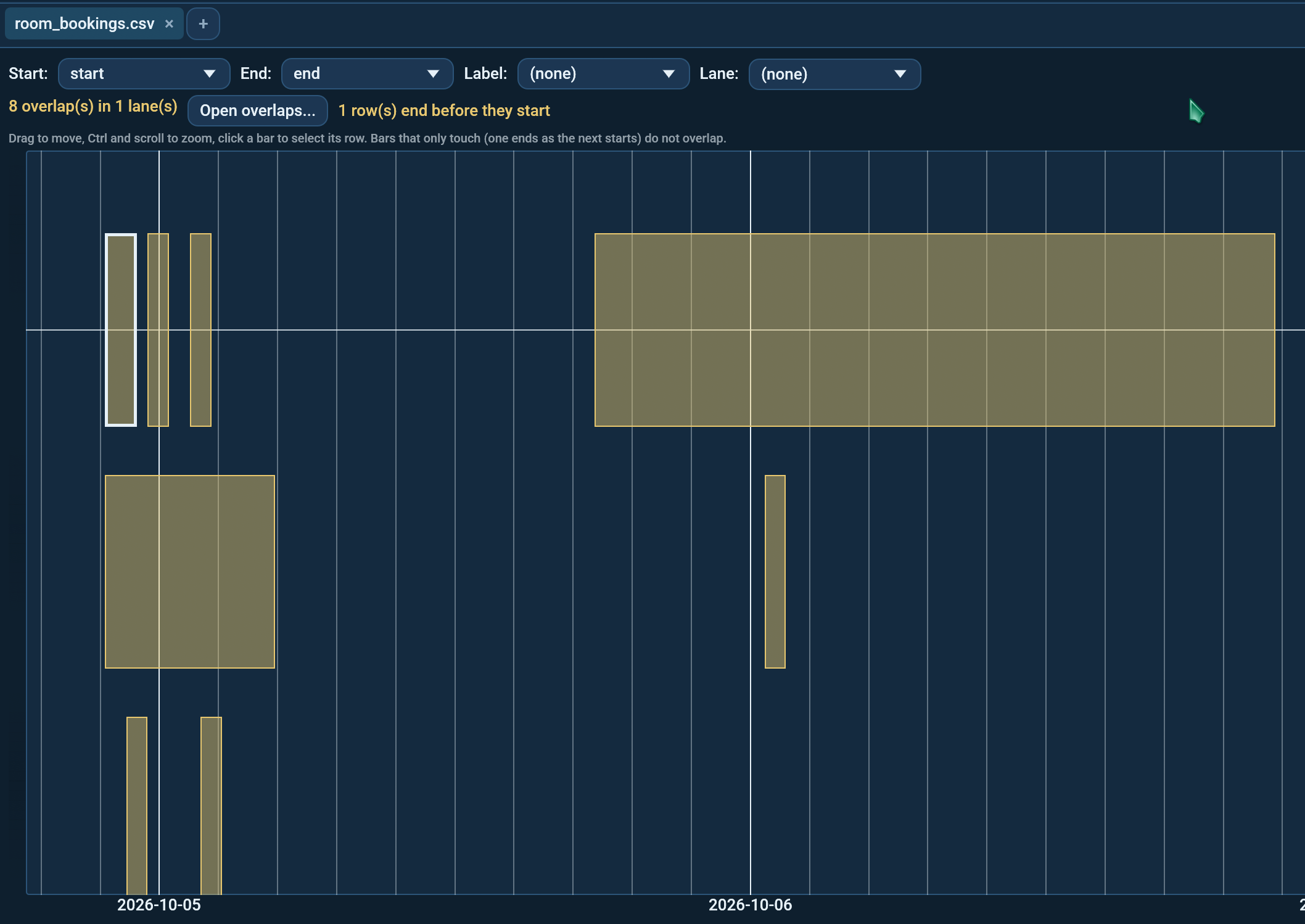
Room bookings, shifts, holidays, projects, rental contracts: any table where a row has a start and an end. View -> Timeline draws each row as a bar on a time axis and outlines the bars that overlap, so two bookings of the same room at the same time stand out at once.
It is offered for any table with a date or date and time column, and F4 cycles to it like to any other view.
Picking the columns
The row above the timeline has four pickers:
- Start: where each bar starts. Octa picks the first date column.
- End: where each bar ends; it picks the second date column. Choose (none) and every row becomes a point, handy for events without a duration.
- Label: the text written on each bar where it fits and shown when you hover one (a title, a name).
- Lane: groups the bars into bands, one per value: one band per room, per person, per machine. Overlaps are only looked for inside a lane, so a booking of Room A never clashes with one of Room B.
Columns that hold dates as text (a CSV the reader left untyped) are offered too.
Overlaps
Bars in the same lane that share time are outlined in the warning colour and put on their own track inside the lane, so neither hides the other. The line above the timeline counts them: "4 overlap(s) in 2 lane(s)".
Bars that only touch, where one ends at 11:00 and the next starts at 11:00, do not overlap: back-to-back bookings are fine. A point (a row without an end) overlaps a bar it falls strictly inside.
Open overlaps... opens a new tab with one row per overlapping pair:
the lane, then the row number, label, start and end of both sides. The
columns are named after yours (room, row_a, title_a, check_in_a,
...): _a is the row that starts first, _b the one that starts while
_a is still running. Hover a column header for what it holds. Sort it,
filter it, save it, send it to whoever booked the room twice.
Rows that cannot be drawn
- A row that ends before it starts is not drawn. The line above the timeline counts these; hover the note for their row numbers. They are usually typing mistakes worth fixing.
- A row with no start is left out and counted.
Moving around
Drag or scroll to move (hold Shift to scroll sideways), hold Ctrl and scroll to zoom, double-click or press Fit to see everything again.
The row above the timeline zooms one axis at a time:
- Time + / - zooms the time axis only; the lanes stay as they are.
- Lanes + / - makes the lanes taller or smaller; the time axis stays.
The view stops at the first and last bar, so it never scrolls on into empty years, and you cannot zoom out past the whole timeline. The time axis labels follow the zoom: years, then months, days and hours, always on calendar boundaries (the first of a month, a Monday, a whole hour). Lane names stay on the left at any zoom. Hover a bar for its label, start, end and row number. Click a bar to select its row: switch to the Table or Record view and you are on that row.
The timeline follows the table's search and column filters, so filter to one month or one department first to see just that part.
Command line and MCP
prints the same overlaps table and exits 1 when any overlap is found,
so a nightly check can catch a double booking. See
--overlaps. The assistant's find_overlaps
tool does the same; see
find_overlaps.
Limits
- At most 50,000 bars are drawn; overlaps are still counted on every row.
- Times are shown as they are stored; there is no time zone conversion (use Date/Time calculation first if the rows mix zones).
samples/features/room_bookings.csvin the repository has one of each case: overlaps, touching bookings, a booking inside another, one over two days, one ending before it starts, one without an end.