CSV Quote / Escape Modes
When Octa shows a CSV or TSV file in the Raw text view, the toolbar exposes three combo boxes that govern how the file is tokenised:
- Delimiter: what separates fields
- Quote: what wraps a field that contains the delimiter or newlines
- Escape: how a literal quote inside a quoted field is represented
This page is the reference for the three Quote modes and the three Escape modes.
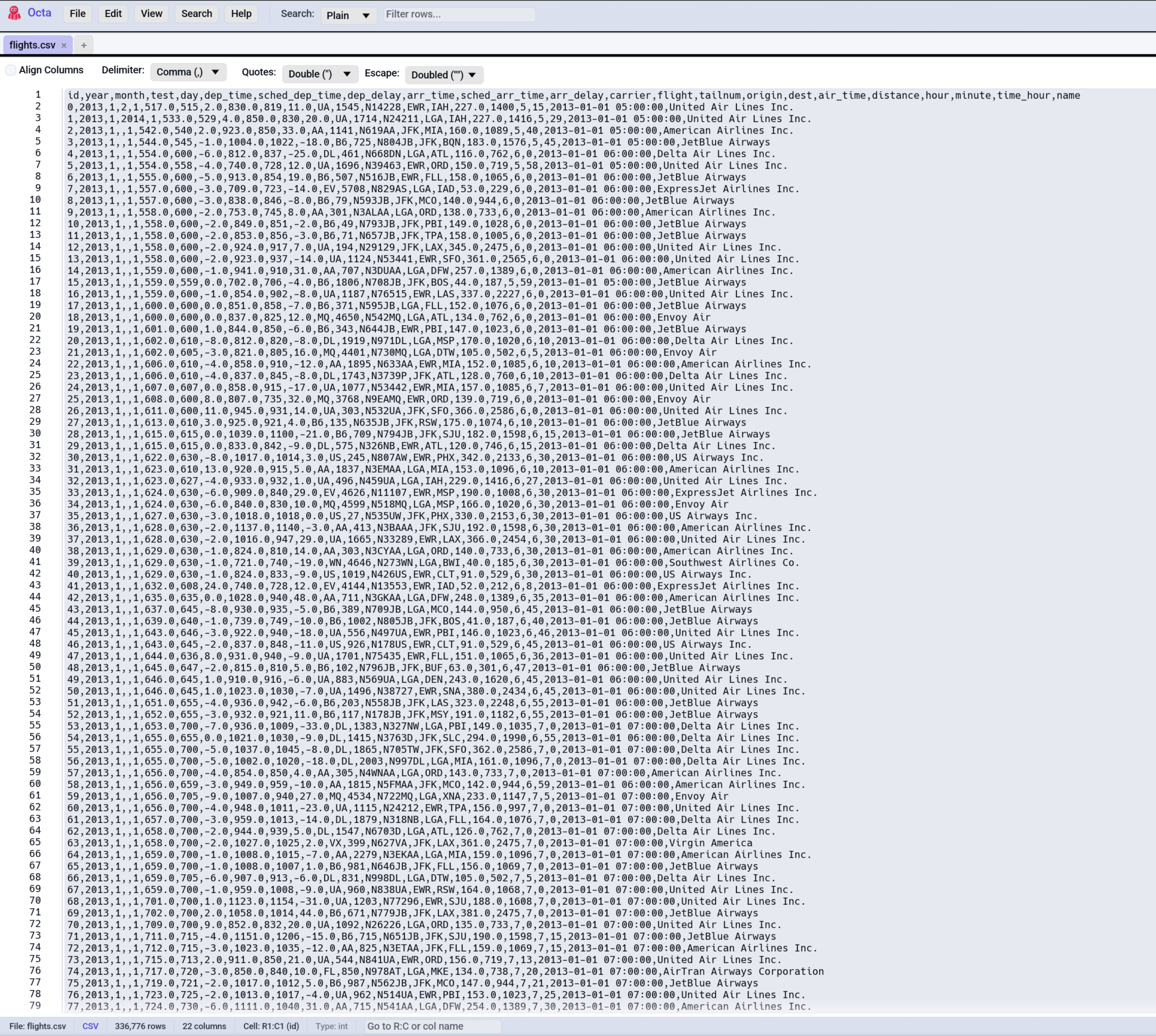
These settings only affect the
Raw view's tokenisation and
column-alignment rendering. The Table view's
parser (used by the GUI for the structured display and by the
CLI's --head etc.) follows RFC 4180
unconditionally, so change the Raw view settings to inspect
non-RFC files; the Table view auto-handles standard files.
Defaults
Both defaults are RFC 4180:
- Delimiter: auto-detected (comma / semicolon / pipe / tab).
- Quote:
Double(RFC 4180"). - Escape:
Doubled(""inside a"..."span is a literal").
If your file conforms to RFC 4180 you don't need to change anything.
Quote modes
Double (default)
Fields may be wrapped in ". Anything between matched double
quotes is taken as the field's content, even if it contains the
delimiter or newlines.
Both forms (Smith, John and Alice) are valid in the same file.
Single
Fields may be wrapped in '. Some CSV dialects (older
spreadsheet exports, some database dumps) use single quotes.
When this mode is active, double quotes are treated as literal characters, so they don't open a quoted span.
Both (a.k.a. "Either")
Either " or ' can open a quoted span. Whichever character
opens the span must also close it; the other quote type inside
the span is treated as literal.
id,name,quote
1,"He said 'hi'.","Quote contains apostrophes"
2,'They said "yes".','Quote contains double quotes'
Useful for files mixing conventions (rare but happens).
None
Quote characters carry no special meaning. The tokeniser
splits purely on the delimiter. Every " or ' is a literal
character.
Use when:
- Your file has quotes inside fields but they're meaningless garnish.
- You're certain there are no fields containing the delimiter.
If a field does contain the delimiter under None, it'll get
split into multiple columns. Usually wrong, but sometimes
intentional.
Escape modes
These say what to do when a quoted span contains a character that looks like the closing quote. Three options:
Doubled (default, RFC 4180)
Inside a "..." span, "" (two consecutive quote characters)
represents one literal quote. The first " closes the span, the
second re-opens it.
Tokenises to: He said "hello".
Backslash
C-style escapes. \" represents one literal "; \\ represents
one literal \.
Tokenises to: He said "hello".
Common in:
- CSV exports from databases that follow MySQL / PostgreSQL conventions.
- Logs / event streams hand-rolled by developers used to other formats.
None
No escapes; the first matching quote closes the span. A quote inside the data forces an early close and the rest of the field becomes content of the next column (usually broken).
Use only if you're certain there are no quote characters inside quoted fields.
Combined matrix
What the tokeniser does for "Smith, "John" Doe" under different
combos:
| Quote | Escape | Tokenises to |
|---|---|---|
Double |
Doubled |
Smith, followed by John Doe followed by an opening unclosed quote: malformed |
Double |
Backslash |
Same malformed result (no backslash present) |
Double |
None |
Smith, then John then Doe then opening unclosed quote: malformed |
Single |
any | One field: "Smith, "John" Doe" (double quote is literal in Single mode) |
None |
any | Three fields: "Smith, "John" Doe", split on the comma |
For correct round-tripping, the input would need to be either:
"Smith, ""John"" Doe"     -- Double + Doubled
"Smith, \"John\" Doe"     -- Double + Backslash
'Smith, "John" Doe'       -- Single + any escape
Column alignment + colouring
These two toggles work alongside the Quote/Escape combos:
- Align Columns (default on) pads fields with spaces so they visually line up. Reads better than raw CSV, especially when fields vary in length.
- Colour aligned columns (Settings → File-Specific) gives each column a subtle background tint, so you can eyeball which value belongs to which column.
Changing any of the Quote / Escape / Delimiter combos while alignment is on re-formats the buffer immediately, using a cached snapshot of the on-disk content. No disk re-read happens; it's all in-memory work.
When the wrong combo causes garbled output
If a row spans many columns in alignment mode (way more than the file actually has), or rows on the same column don't line up, the tokeniser is mis-reading the file. Walk through:
- Is the delimiter right? Open in plain Raw (toggle Align off) and look at one line, counting delimiter characters.
- Are there quotes in the file? If no, set Quote to
None, and any literal quotes will then be treated as text. - If there are quotes, are they
"or'? Match the Quote mode. - Do quoted fields contain quotes inside? Look at one such
field and see whether they're
"",\", or unescaped. Pick the matching Escape mode.
For chronically-malformed files, the
SQL panel's DuckDB engine has more
forgiving CSV parsing; SELECT * FROM data may work even when
the Raw view tokeniser gives up.
See also
- Raw text view is where the toolbar combos live.
- Settings → File-Specific toggles the column-colouring option.