Colour Marking
Octa lets you highlight cells, rows, and columns with colours, useful for flagging interesting values during exploration, marking rows that need attention, or grouping columns visually.
Available colours
Six colours: Red, Orange, Yellow, Green, Blue, Purple. They're chosen to remain readable in both light and dark themes.
Applying a mark
Right-click context menu
The fine-grained way, working on whatever you right-click:
- Right-click a cell → Mark → pick a colour.
- Right-click a row number → Mark → pick a colour.
- Right-click a column header → Mark → pick a colour.
If the right-clicked target is already part of the current selection (multi-cell, multi-row, or multi-column), the chosen colour is applied to every selected item, following the same precedence as Ctrl+M. Click outside the selection first if you want to colour only the single right-clicked target.
Edit menu and shortcut
Edit → Mark (or the Mark keyboard shortcut, default Ctrl+M, remappable) applies a single colour to the whole current selection:
- A row block → row mark.
- A column block → column mark.
- A multi-cell selection → cell marks.
- A single cell → cell mark.
The colour used by the shortcut is set under Settings → Table → Default mark colour (Green by default). Change it there if you want Ctrl+M to default to Red, etc.
Toolbar Edit menu
The Edit → Mark submenu lets you pick the colour explicitly as well.
Marking is not an edit
Marking works in read-only mode and on a read-only database tab, through every route: the context menu, Edit → Mark, and the keyboard shortcut alike. A colour mark is a way of reading a table, not a change to it, and nothing is written to the file or the server.
Clearing a mark
Right-click the marked cell / row / column → Clear Mark.
To clear every mark on the file at once, Edit → Clear All Marks.
Precedence
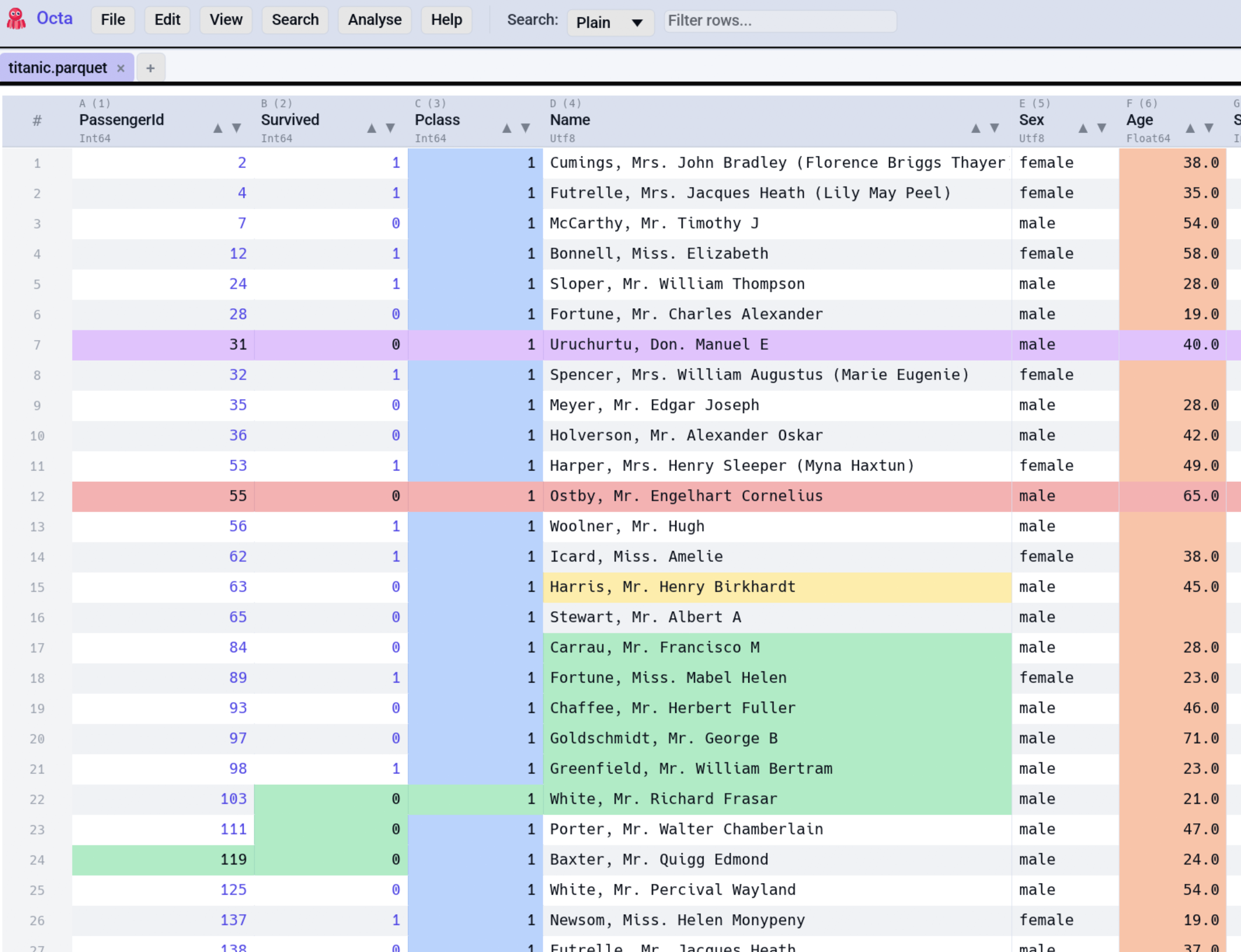
When the same cell is covered by overlapping marks, the precedence is:
So a cell marked individually wins over the mark on its row, which wins over the mark on its column. This lets you broadly highlight a column and then override specific cells within it.
Undo / Redo
Colour marks are tracked by undo / redo. Ctrl+Z unmarks the last applied mark; Ctrl+Y re-applies.
See also
- Settings → Table → Default mark colour sets the default colour for the Mark shortcut.
- Editing covers the broader edit semantics.