EPUB reader
For .epub files Octa renders the book chapter-by-chapter as flowing
text, using the same Markdown renderer the Markdown view uses. Each
chapter's XHTML is converted to Markdown once at load time and
cached on the tab, so there's no per-frame conversion overhead.
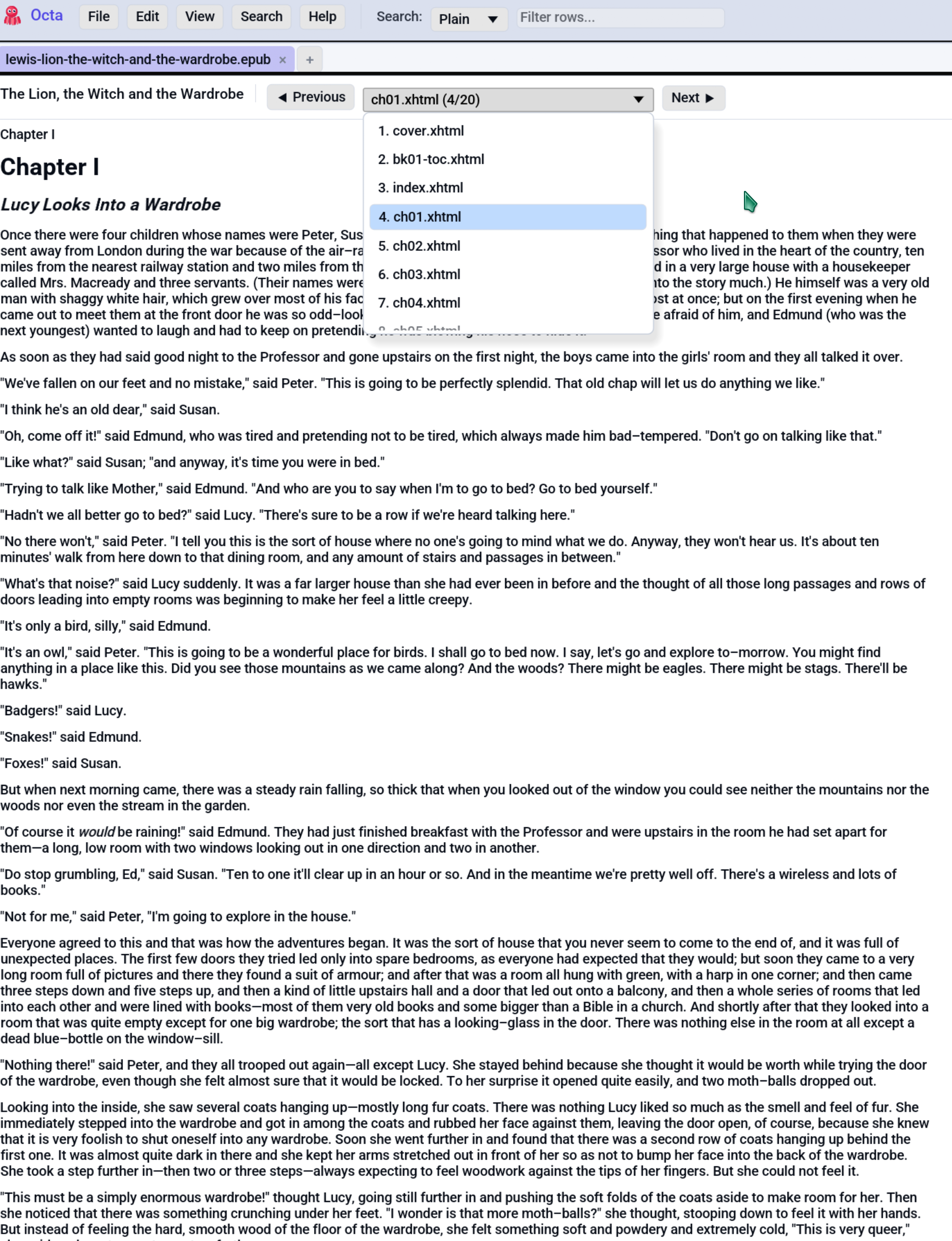
When the EPUB reader appears
The EPUB reader is the default view for .epub files. The
Table view is still available: every chapter's
paragraphs become rows with chapter, paragraph, text columns,
which is useful for full-text searching the book via the
search bar or
SQL.
Switch with View → Table (or the F4 cycle shortcut).
Toolbar
The top toolbar shows:
- Book title (from the EPUB's
<dc:title>metadata). - ◀ Previous / Next ▶ buttons step through chapters.
- Chapter combo is the full chapter list with
N. <label> (i/total). Pick any chapter to jump straight to it.
The chapter label is the filename of the chapter's XHTML file
(EPUBs don't carry guaranteed chapter titles, so this is the most
reliable identifier without parsing TOC structures).
Chapter rendering
Each chapter's body renders via pulldown_cmark, the same pipeline
the Markdown view uses. That means:
- Bold / italic / strong / em runs render with weight differences.
- Headings (h1-h6) render at varying sizes.
- Lists, blockquotes, code blocks all supported.
- Inline links are clickable where they make sense (internal
chapter links don't yet navigate, but external
https://...links open in the default browser).
The reading width is capped at clamp(200.0, 900.0) pixels,
matching the Markdown view, so on wide displays the
text doesn't sprawl.
Embedded images
Images embedded in the EPUB (covers, figures, illustrations) are decoded once and shown as a thumbnail strip beneath the chapter text. Each thumbnail is capped at 200 px on its longest axis. The strip persists across chapter switches, since Octa caches decoded images on the tab so you don't re-decode on every page flip.
Why a thumbnail strip, not inline
EPUB chapters use HTML <img> tags to position images mid-text.
The egui pulldown_cmark walker doesn't expose a clean way to
weave widgets into paragraph layout, so v1 of the EPUB reader
collects all chapter images into a strip below the body. This
is a known v1 trade-off; inline-in-paragraph positioning is
deferred.
Image resolution falls back via three strategies:
- Exact href match against the EPUB's manifest.
/-prefixed match (some EPUBs normalise paths with a leading/).- Filename-only match, where
images/cover.jpgandOEBPS/images/cover.jpgsharecover.jpg. First match wins on duplicates.
Image formats supported
PNG, JPEG, GIF, and WebP, which cover the common EPUB image set. Anything else (TIFF, BMP, SVG) renders as alt-text only.
Table view fallback
Switch to View → Table to inspect the book's text as a flat table. Three columns:
| Column | Type | Notes |
|---|---|---|
chapter |
Int64 | 1-based chapter index |
paragraph |
Int64 | 1-based paragraph index within the chapter |
text |
Utf8 | Paragraph text in Markdown form |
This is the lens to use for:
- Searching the book: type into the toolbar search box to filter to matching paragraphs.
- Running SQL queries:
SELECT * FROM data WHERE text LIKE '%love%'in the SQL panel. - Counting words per chapter, finding the longest paragraph, etc.
Limitations
- Read-only. No edit-and-save-back. EPUB writing isn't on the roadmap.
- No TOC navigation. The combo shows chapter filenames, not the
book's declared TOC structure. Following an internal
#anchorlink doesn't navigate yet. - No font preservation. EPUBs that bundle custom fonts (sci-fi novels with unusual typography, etc.) render in Octa's default font.
- No DRM. Octa uses
rbookwhich doesn't support encrypted EPUBs, so Kindle / Adobe Digital Editions files won't open.
See also
- Markdown view uses the same renderer in a more familiar context.
- SQL panel queries a book's text as a table.