JSON & YAML tree View
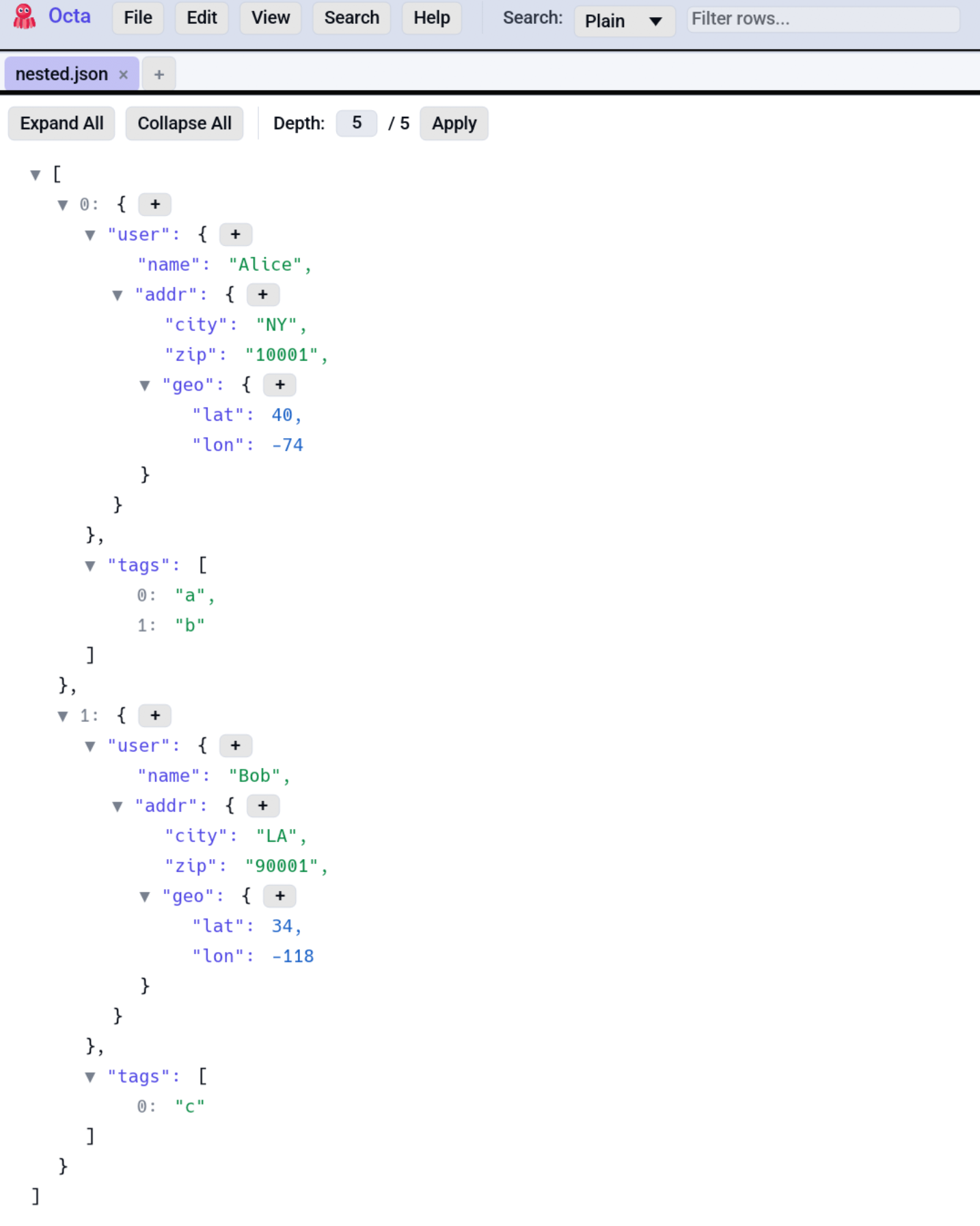
A Firefox-style collapsible tree for inspecting JSON, JSONL, and
YAML documents. The same renderer handles both: the YAML tree is
fed by serde_yaml converted to the same serde_json::Value shape
that JSON uses.
When the tree view is available
.jsonand.jsonlfiles: JSON tree mode shows in the View menu after a successful parse..yaml/.ymlfiles: YAML tree mode shows after parse.
Both modes parse the file once at load time and cache the result on the tab.
You can also open JSON / YAML in Table view (the file's key-value pairs become columns) or Raw view. The tree is just one of several lenses.
Interaction
- Click a value to select its text
- Ctrl+C copies the selected text.
- Right-click anywhere for the context menu:
- Copy JSON (whole document, pretty-printed)
- Copy YAML (when the tree is YAML)
Unfolding a value that is itself JSON
A field whose string holds a whole JSON document is a common shape in
logs and API dumps, and it arrives as one endless leaf. Such a leaf gets
a small [+] beside it: click to unfold the string into a tree of its
own, with keys, arrays and collapsible objects exactly like the file's
own structure, click [-] to fold it back. Unfolding opens every level,
since seeing the keys is the point.
This is display only. The unfolded document is not merged into the file: its rows cannot be renamed, edited or added to, and nothing about the file changes. They do take part in search, so a term buried inside the blob is findable. If the string is not valid JSON after all, a single row says so instead of the content.
Editing in place
The tree view supports in-place editing of both keys (on objects) and values:
- Double-click an object key to enter rename mode. The cell
becomes a TextEdit pre-filled with the current key. Enter
commits; Escape cancels. Key order is preserved by rebuilding
the underlying
serde_json::Map(otherwise renaming an object key would re-alphabetise the document). - Double-click a value to edit it. Numbers, strings, booleans all parse on commit.
- The
+button next to an expanded{opens a small TextEdit for adding a new key with a default empty-string value. - Array indices are NOT renamable, since they're position-based.
Edits propagate to the underlying buffer (tab.raw_content) by
re-serialising. The tab is flagged as modified; Ctrl+S writes
back (see Saving for per-format mechanics).
Expand-to-depth control
Above the tree, a small Depth: N input controls auto-expansion. Type a number to expand the tree to that depth (1 = top-level keys, 2 = one level of nesting, etc.). The maximum depth of the current document is cached on load and shown next to the input.
Why the same renderer for both formats
JSON and YAML both serialise into the same recursive enum (objects,
arrays, strings, numbers, booleans, nulls). YAML adds a few
sugar-types (timestamps, sets) that serde_yaml lowers into JSON
equivalents during conversion, so by the time the tree renderer
sees the data it doesn't care which format produced it. This means:
- The same edit semantics work for both.
- Saving back uses the format-specific serializer
(
serde_json::to_string_prettyfor JSON,serde_yaml::to_stringfor YAML). - The right-click "Copy as JSON" / "Copy as YAML" menu items vary per format.
Limitations
- No JSON Schema validation. Octa won't tell you if the document violates an attached schema.
- No diff between JSON files. Use the Compare view with Row Hash Diff or Text Diff.
- Cycles aren't expected. JSON/YAML can't represent cycles, but
YAML anchors that loop would crash the renderer;
serde_yamlflattens them on load.
See also
- Settings → Search & Editor for default search mode.
- SQL panel: JSON Lines opens as rows, queryable via SQL.
- Parse in new tab lifts JSON or YAML shaped text out of an individual cell, row, or column into its own tree.