Cell history
Where did this value come from? For a file kept in a Git repository, right-click a cell and choose Cell history.... Octa reads the file's commits and lists the ones in which that cell's value changed, newest first: date, author, commit message, the value, and what kind of change it was.
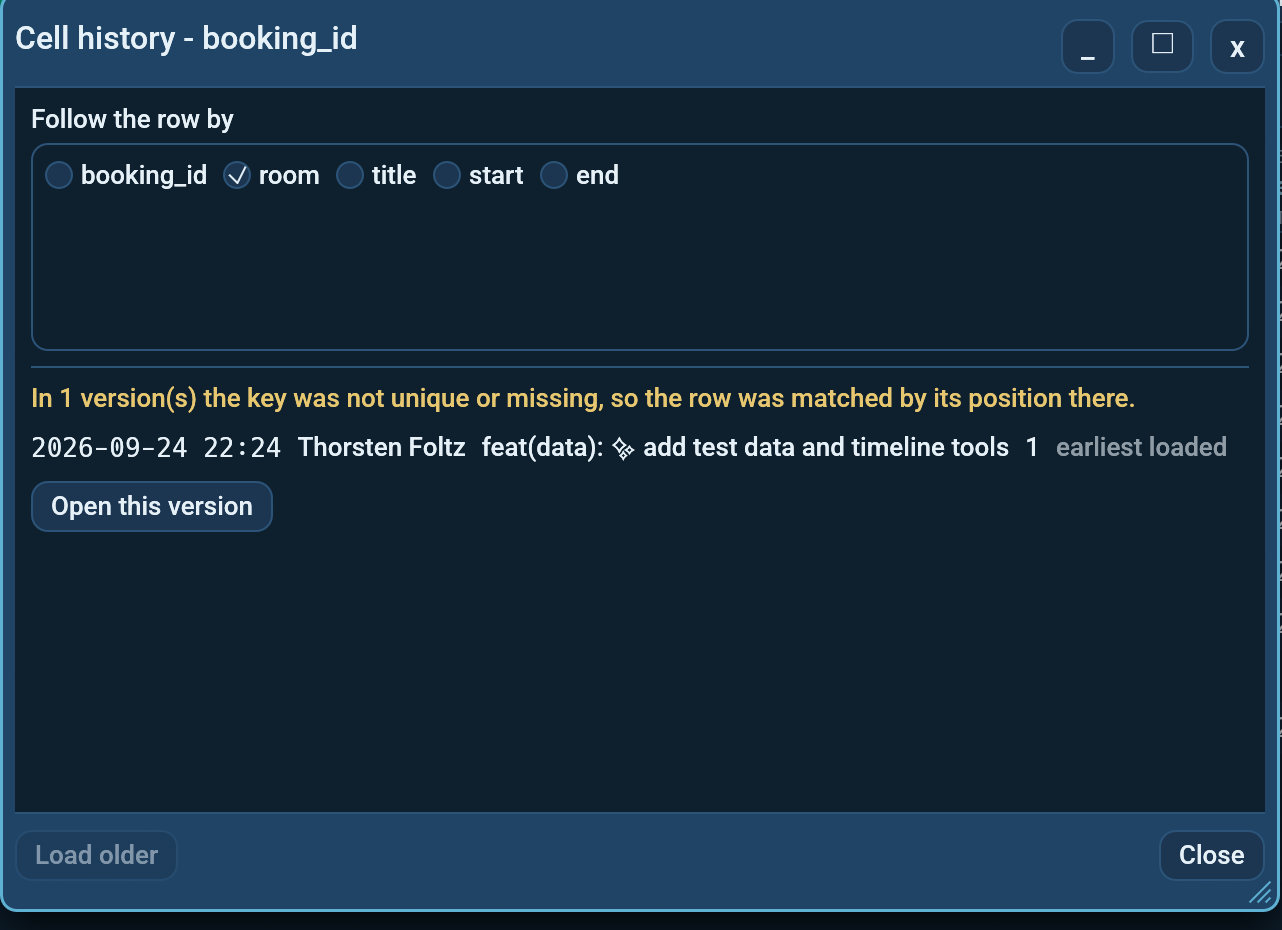
The entry is greyed out for files outside a Git repository, and for tabs with no file of their own (database tables, API results, cloud objects). With a cell selected, the Cell history... shortcut (unbound by default, see Settings -> Shortcuts) does the same.
Following the row
A file that was re-sorted, or had rows inserted above, would look as if every
row had changed if rows were matched by their position. So Octa follows the
row by a key: Follow the row by starts on the first column whose values are
all different, and once older versions are loaded it switches to the key that
best matches rows between the newest and oldest versions. Change it if you know
better, for example order_id, or two columns together. Drag the line under
the column list to give it more or less room.
Where the key does not work in some version (a value appears twice, or the key column did not exist yet), the row is matched by its position there, and a banner says in how many versions that happened. Clear the key to follow the row by position everywhere.
What the list shows
- Not committed yet at the top when the tab differs from the last commit, either because the file on disk changed or because you have unsaved edits.
- One line per commit where the value changed. A re-sort or a change elsewhere in the row is not listed.
- row added / row removed when the row appears or disappears, and column added / column removed for the column.
- The oldest version read is always listed, marked earliest loaded, since what came before it is not known yet.
Renames are followed: a file that was called p.csv two commits ago still
shows those commits. A version that cannot be read (the file was another
format then, say) is named in a banner with the reason instead of being
skipped silently.
Buttons
- Open this version opens the whole file as it was in that commit in a new tab, read like any other file.
- Load older reads the next 50 commits. The first 50 are read when the dialog opens; they stay cached for the tab, so a second cell opens at once until a new commit arrives.
Any format Octa reads works, not only CSV: every version is read through the normal reader for its file name.
See also
- Merge versions to combine several versions of a table.
- Command line:
--cell-historyand the MCP toolcell_history.